Improve the usability of Kaidee Auto
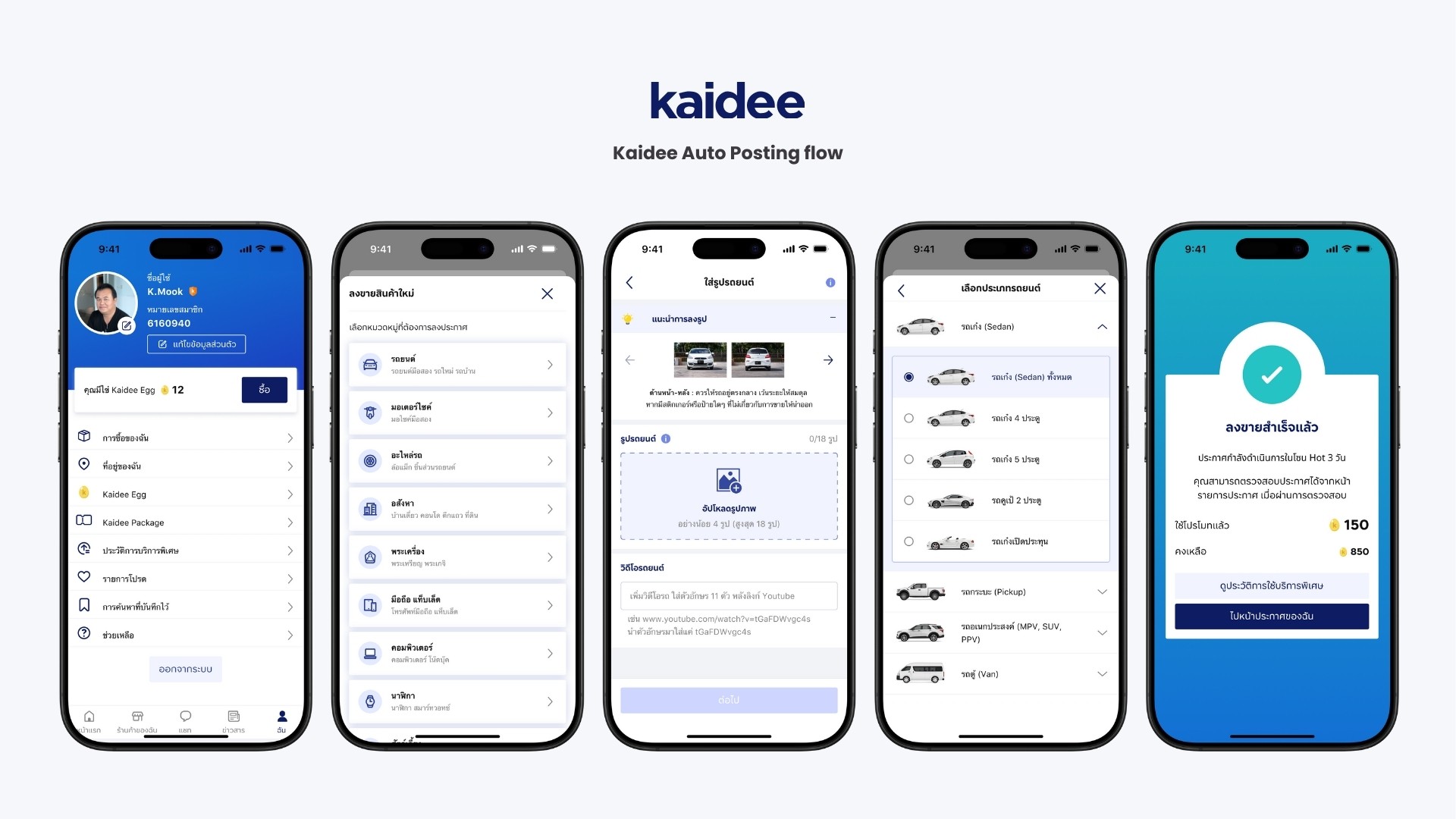
See the web : https://www.kaidee.com/en
Kaidee Auto, where I served as the acting lead. I chose the posting flow to showcase the design process, as it was the area where the product owner allowed designers sufficient time to iterate.
Process : Questionnaire, Competitor Analysis, User Interview, Customer Journey Map, Prototype, Usability Test, User Interface
Duration : 4 months
Role : Product Designer (UXUI)
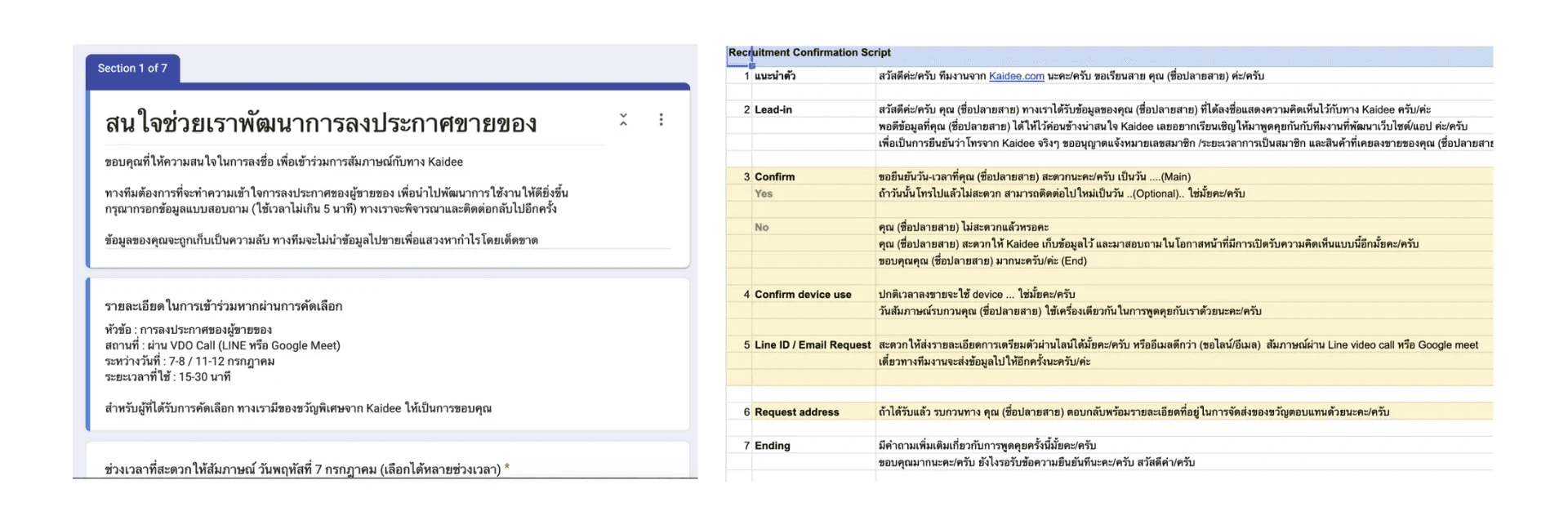
1. Start with create questionnaire
by pushing screening form on Kaidee website for registration.
Analyze quantitative data from questionnaire
The chart below illustrates the segmentation of users into two groups: Pro Sellers and Private Sellers.
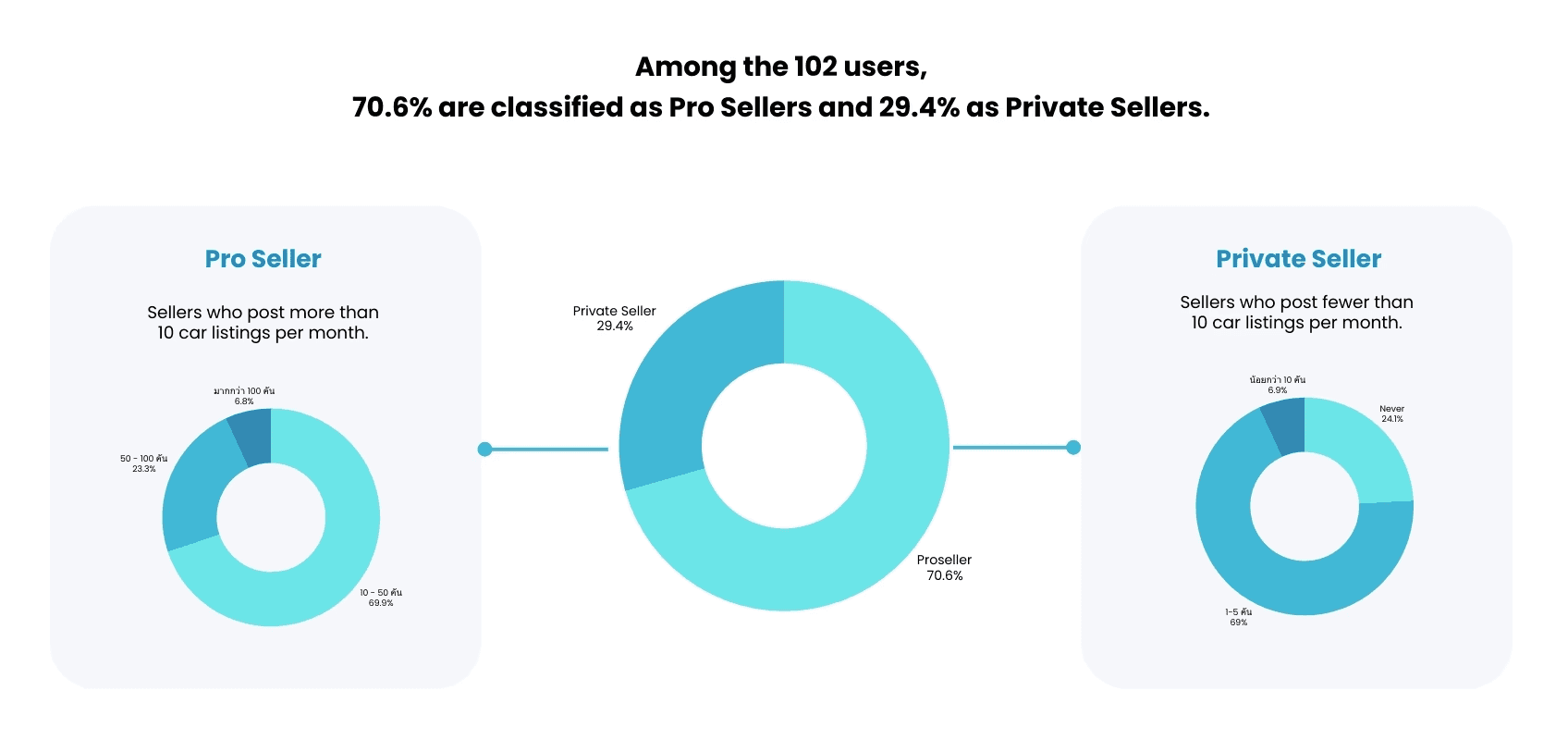
Pro-Sellers are defined as sellers who post car listings starting from 10 cars per month. Most Pro Sellers typically post around 10–50 cars per month.
Private-Sellers are sellers who post fewer than 10 cars per month. The majority of this group usually post approximately 5–10 cars per month.
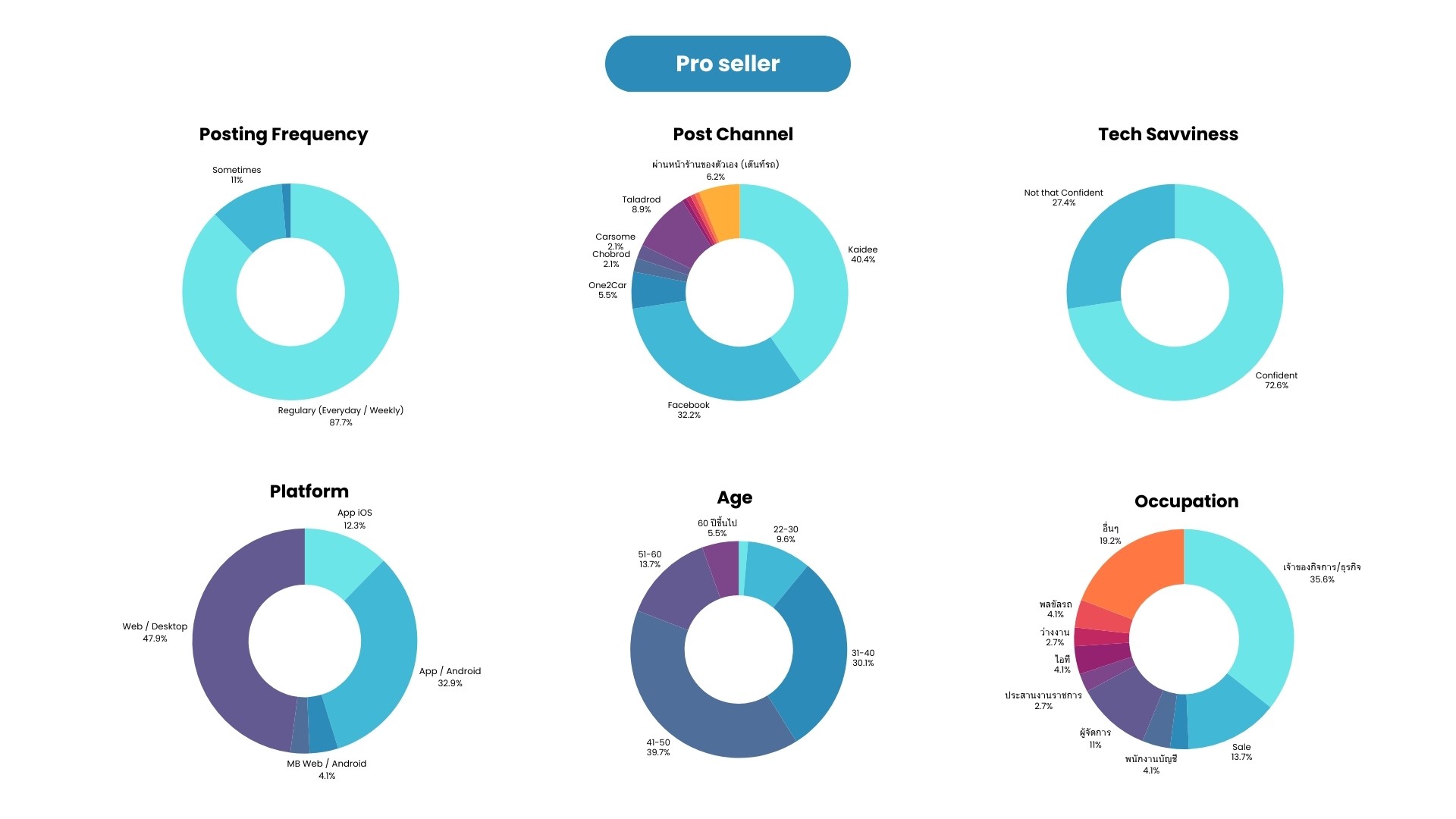
The findings indicate that…
Demographically, Pro-Sellers are predominantly between 31-50 years old.
In terms of roles, most Pro-Sellers are business owners who upload listings themselves, with sales staff and managers also contributing to uploads.
Most Pro-Sellers post car listings consistently on a daily or weekly basis.
Pro-Sellers typically upload their cars across multiple platforms, with Kaidee and Facebook being the primary channels. Additional platforms used include Taladrod, One2Car, Chobrod, and Carsome, respectively.
In terms of tech savviness, the majority of Pro Sellers demonstrate a confident level of technological proficiency.
Upload behavior, Pro-Sellers most commonly upload car listings on Kaidee via the desktop web platform.
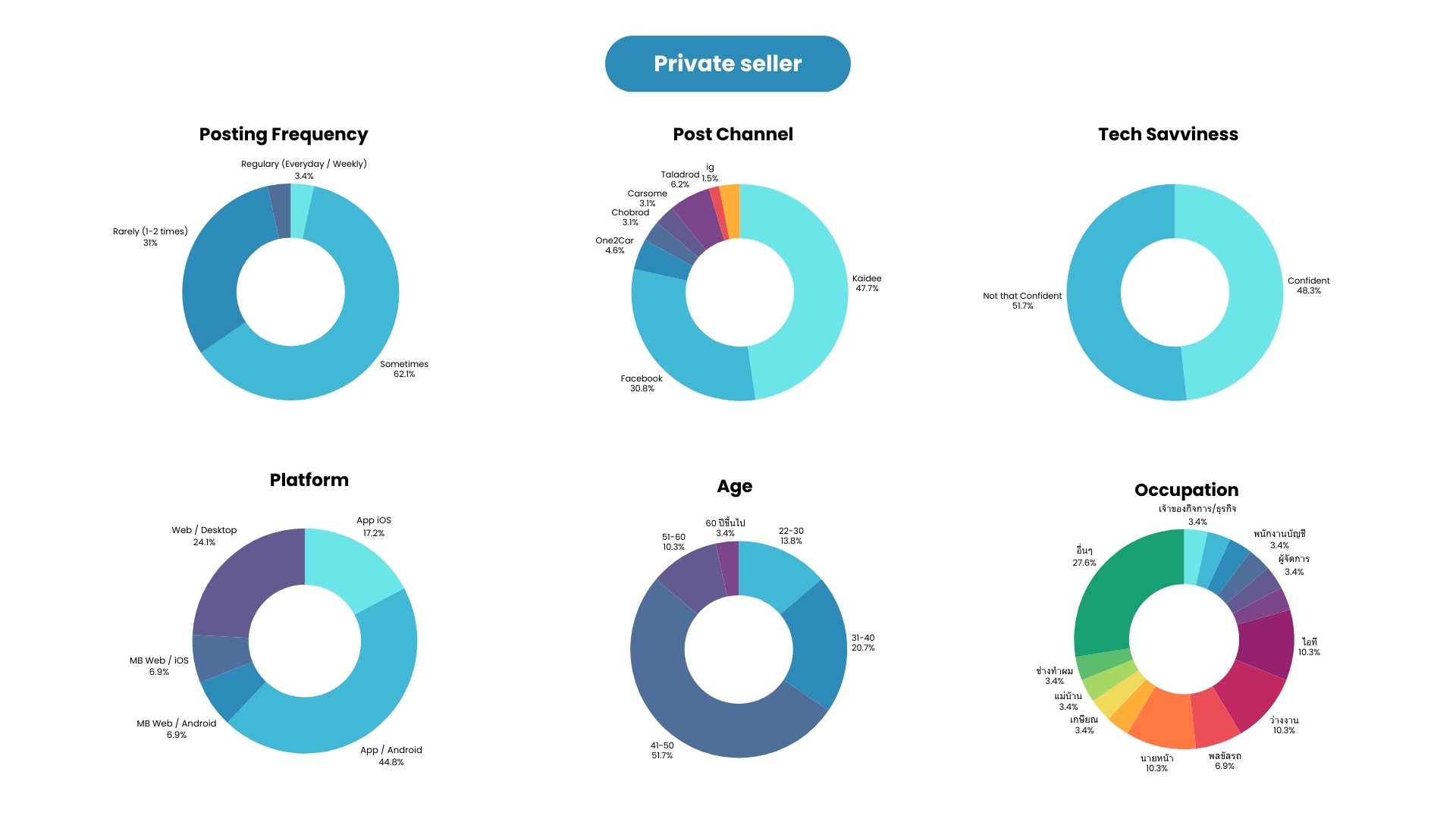
The findings indicate that…
Demographically, Private-Sellers are predominantly in the 41–50 age group.
In terms of roles, they are primarily business owners uploading listings themselves or individual car owners uploading their own vehicles.
Most Private-Sellers post car listings infrequently.
Private-Sellers typically list their cars across multiple platforms, with Kaidee and Facebook being the primary channels. Additional platforms used include Taladrod, One2Car, Chobrod, Carsome, LINE, and Instagram, respectively.
In terms of tech savviness, Private-Sellers show no statistically significant difference between between high-confidence and low-confidence users
Upload behavior, most Private Sellers upload car listings on Kaidee via the Android application, followed by desktop web, and then the iOS application.
Secondary Research & Competitor Analysis
To understand competitor features and user inertia, and to inspire our website development with ideas validated through user interviews.
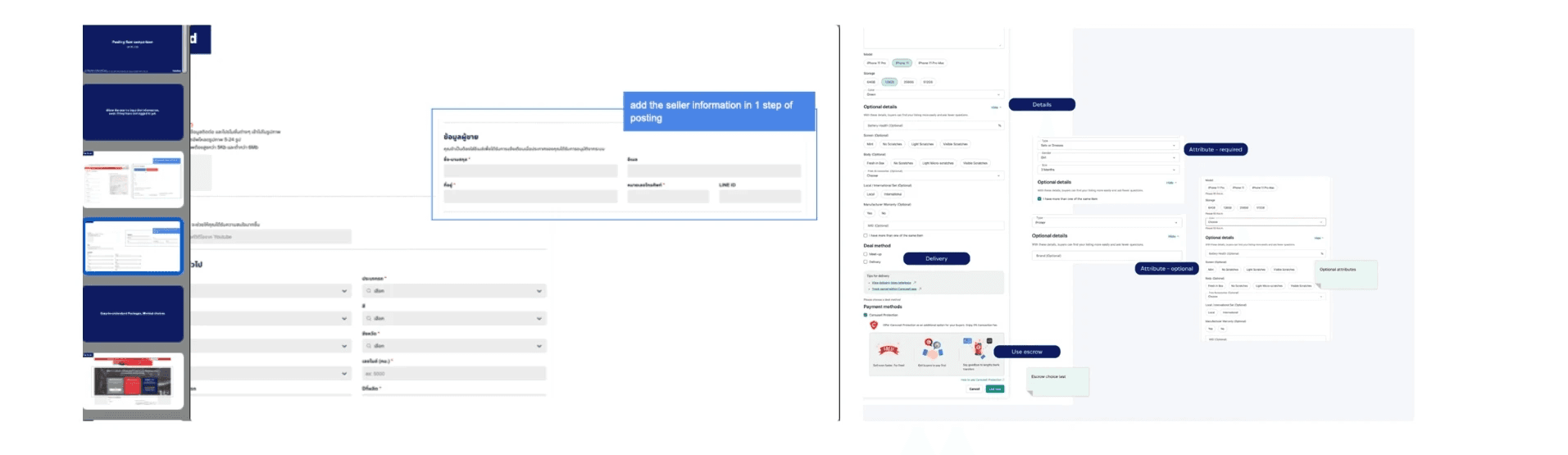
Secondary Research & Competitor Analysis
To understand competitor features and user inertia, and to inspire our website development with ideas validated through user interviews.
Competitor: Facebook, Taladrod, One2Car, Chobrod, and Carsome
User Interview
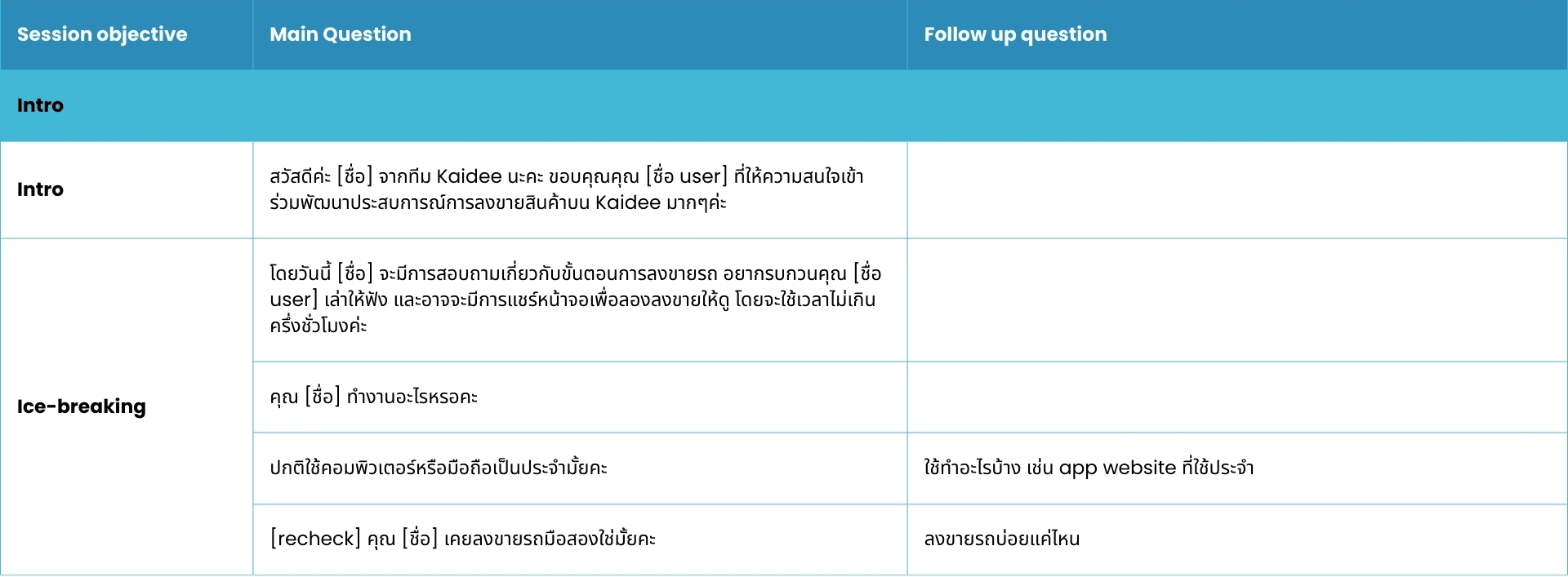
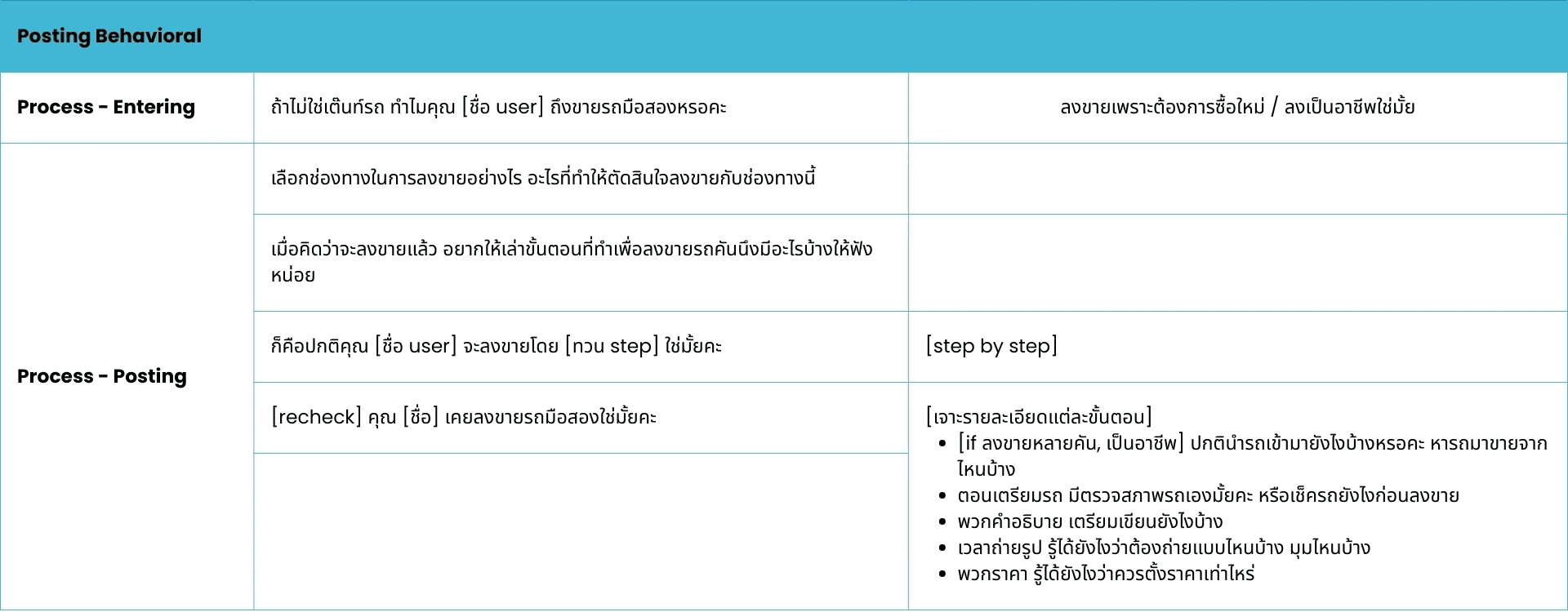
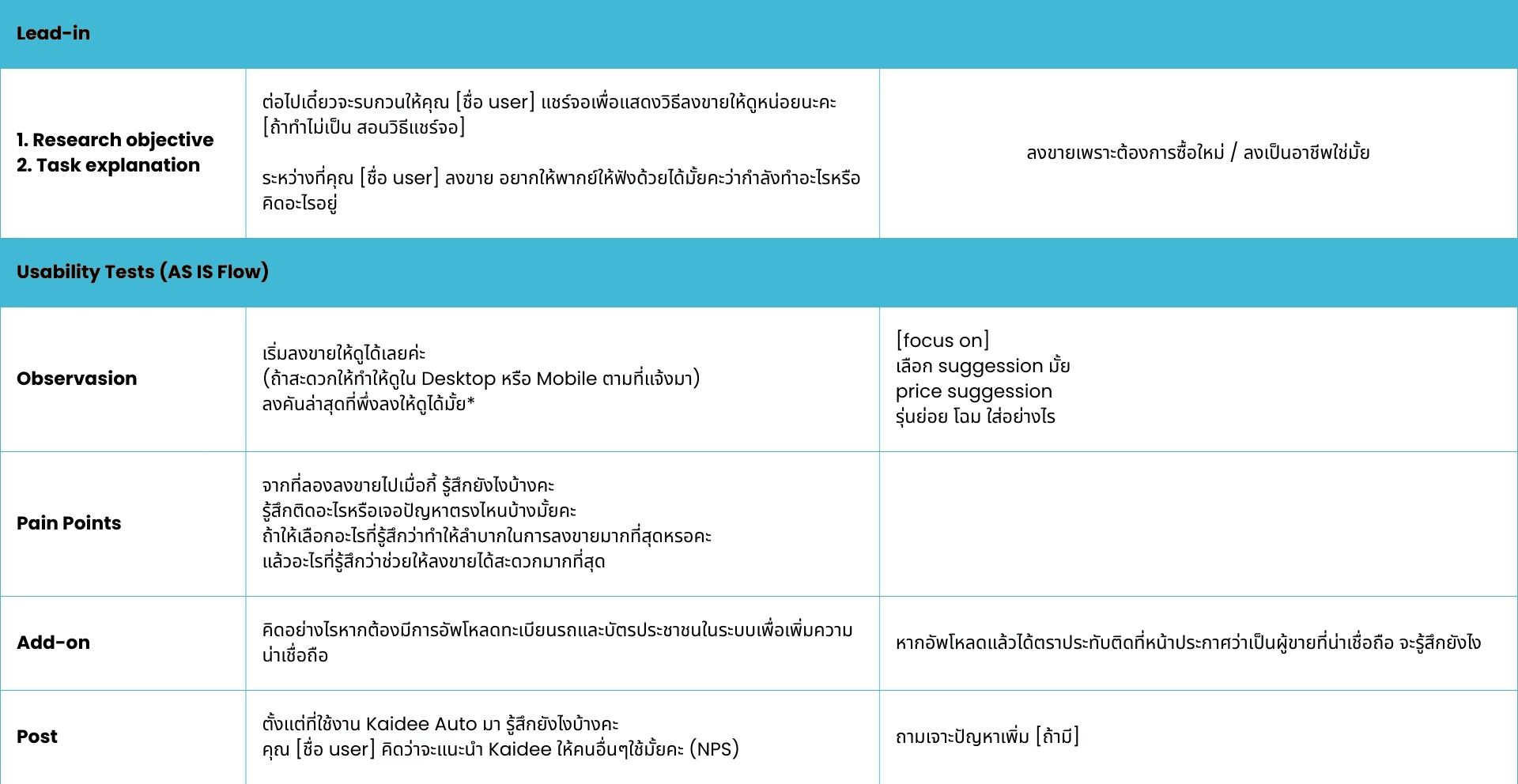
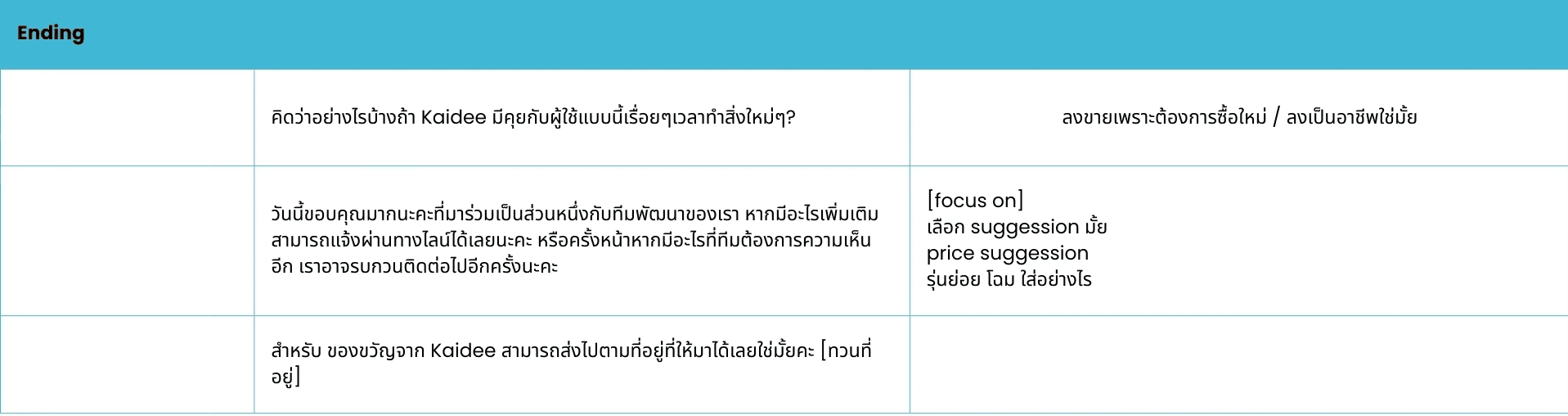
Here is the interview script. We interviewed 8 users, a mix of Pro-sellers and Private sellers, to minimize bias and uncover differences in behaviors, needs, and pain points across user types.
Create User Persona
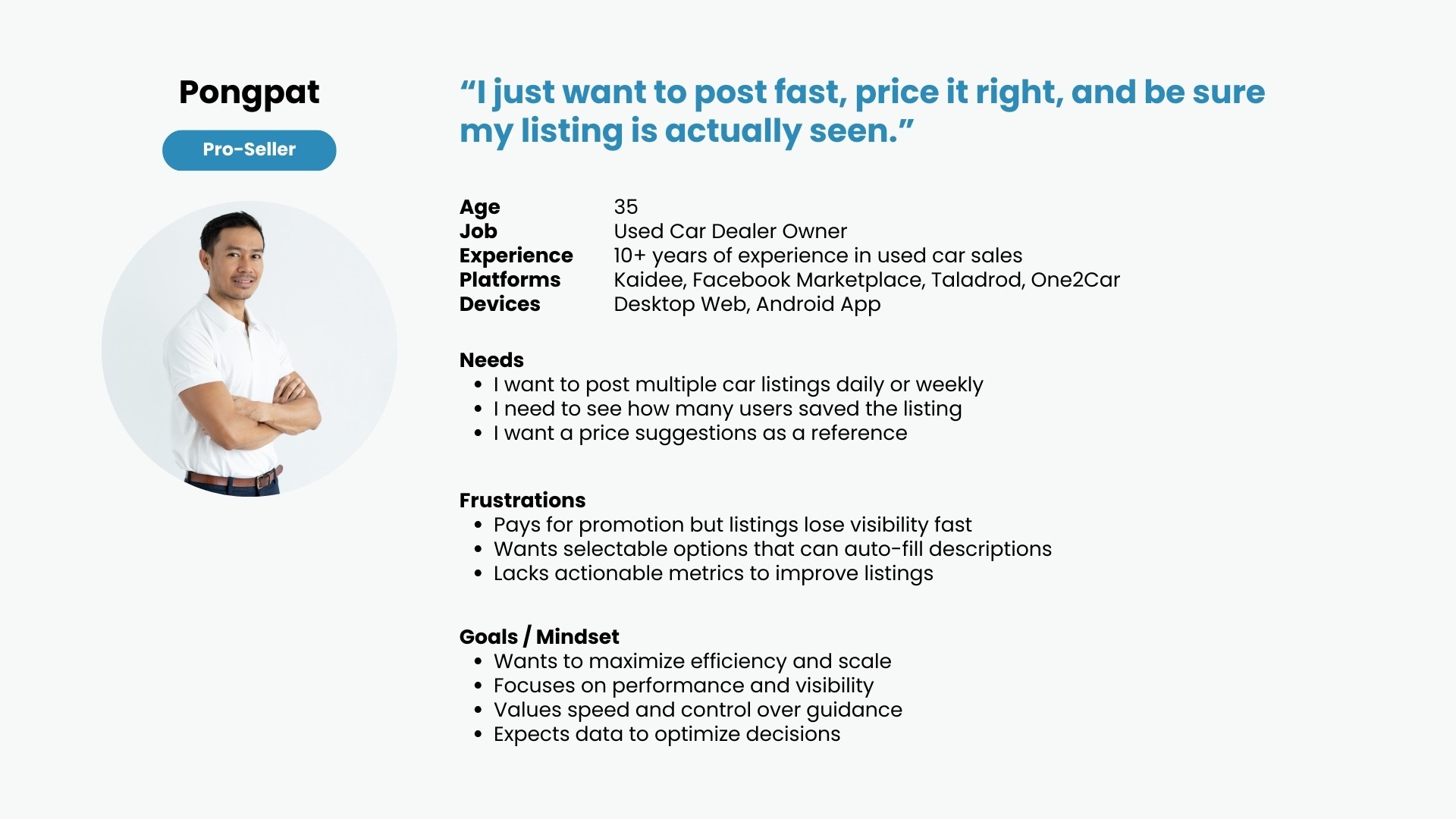
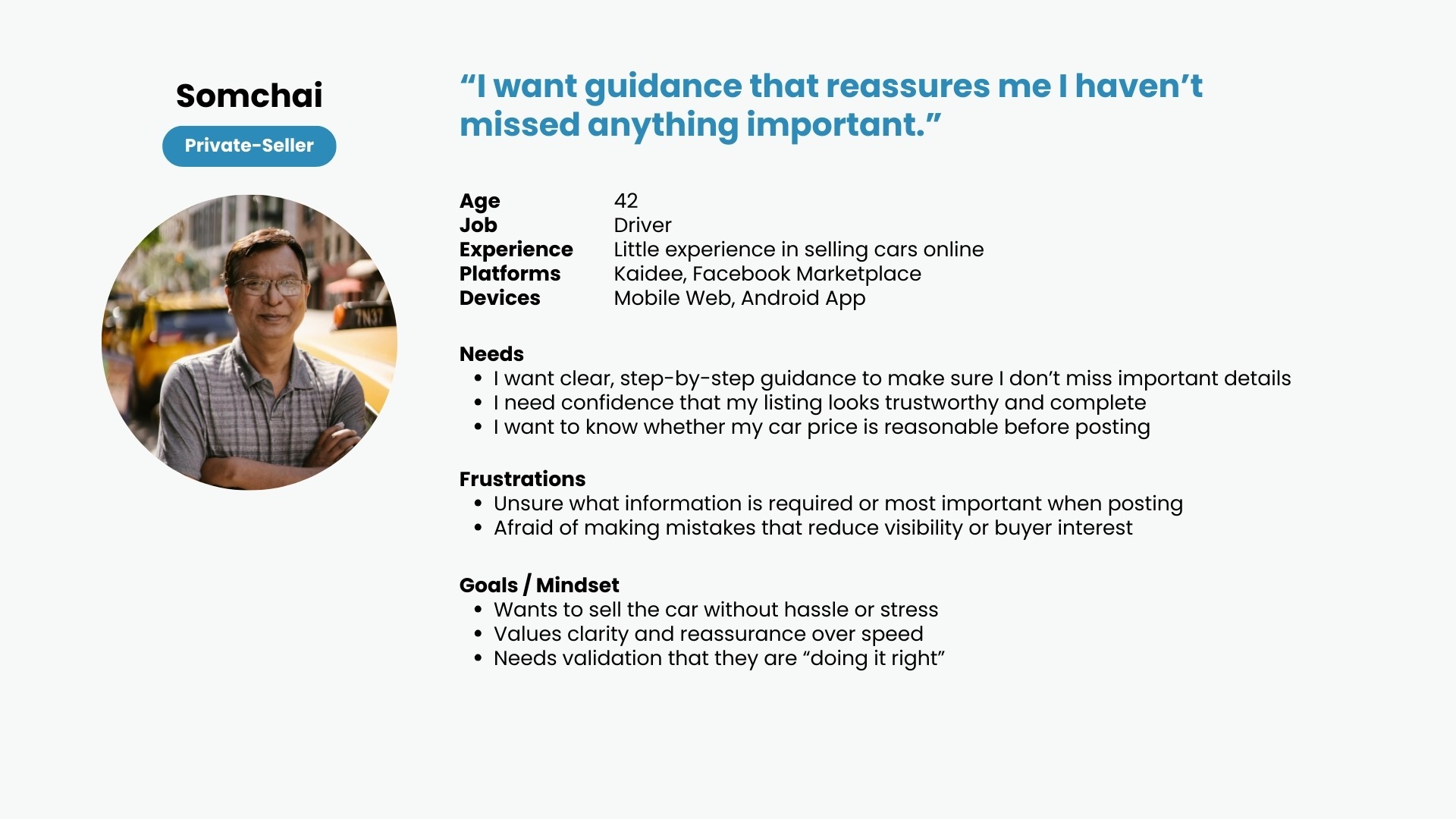
Pro-sellers prioritize speed, efficiency, and performance optimization, treating the posting flow as a business tool.
Private-sellers prioritize clarity, reassurance, and guidance, using the posting flow as a confidence-building process.
Create Customer Journey Map
This customer journey map illustrates the end-to-end experience of car sellers on Kaidee Auto, focusing on the posting flow from entry to post-posting and paid services.
The journey highlights user goals, pain points, emotions, and opportunities across each stage to inform design decisions.
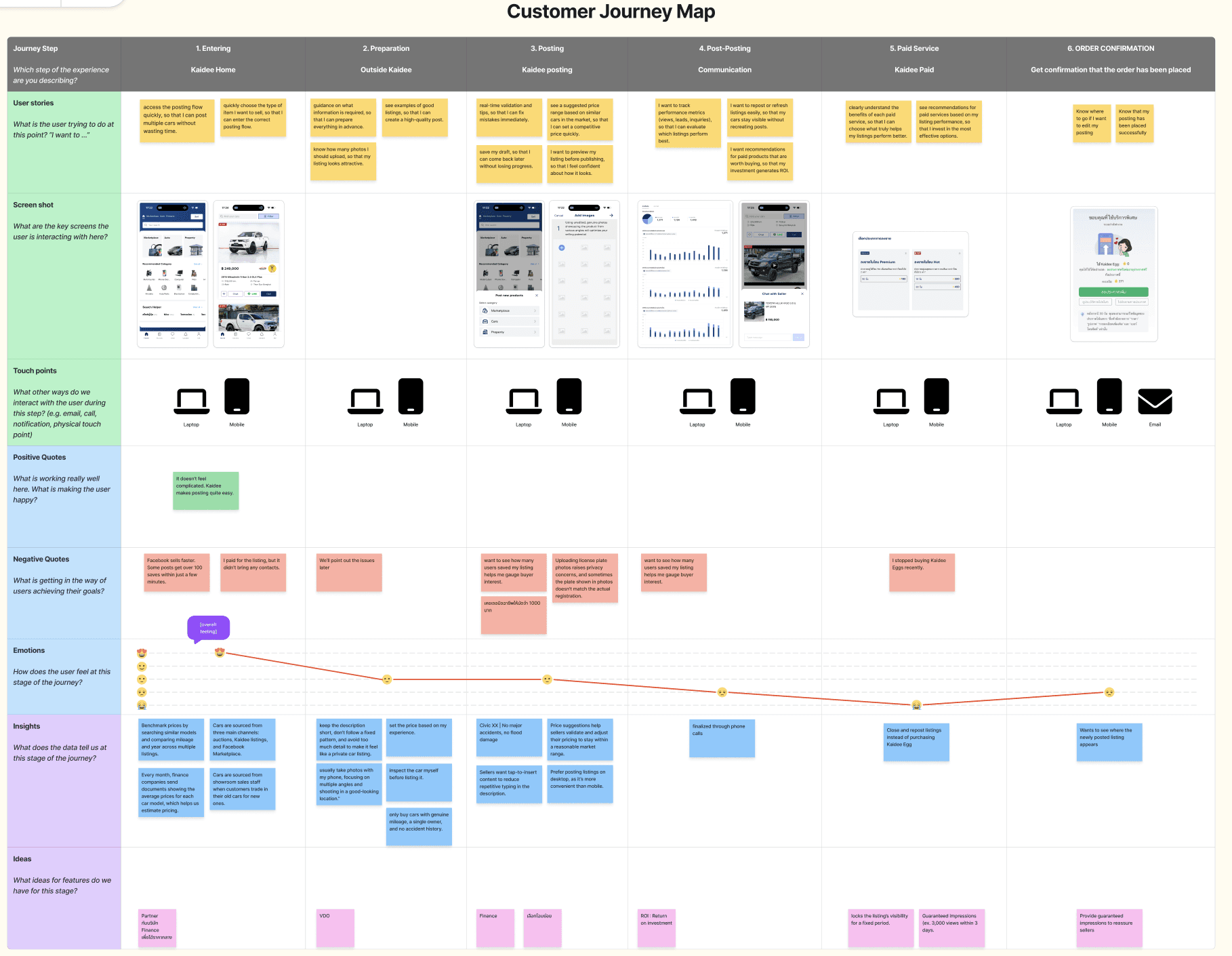
State: Entering & PreparationAt the early stages, users aim to access the posting flow quickly and prepare listing information efficiently. While experienced sellers move fast, less experienced users seek guidance and examples to ensure their listings look complete and trustworthy.
State: Posting
During the posting stage, users focus on accuracy and visibility. Real-time validation,price suggestions, and preview features help reduce uncertainty, especially for less confident sellers. However, friction appears when repetitive inputs slow down the process.
State : Post-Posting & CommunicationAfter posting, users want reassurance that their listings are performing well. The ability to track saves, views, and buyer interactions becomes critical, as sellers use these signals to evaluate whether their listings are effective.
State : Paid Service & Order ConfirmationWhen considering paid services, users seek clear value and performance justification. A lack of transparency around promotion effectiveness leads to frustration and hesitation, impacting trust and conversion.
Feature ideation
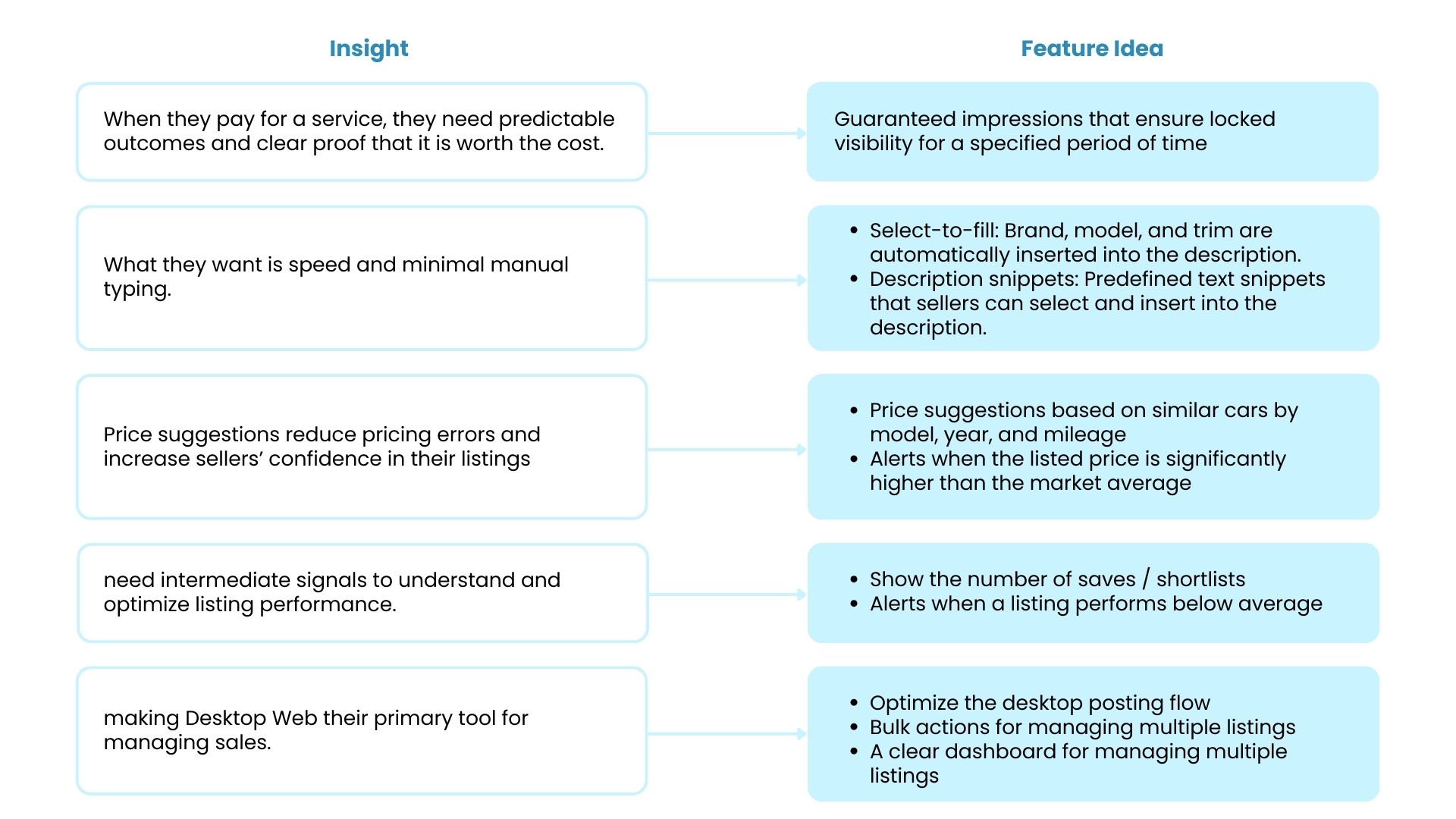
When users pay for a service, they expect predictable outcomes and clear proof of value.
→ This leads to the concept of guaranteed impressions, which lock listing visibility for a specified period of time.
Users want speed and minimal manual input.
→ Features such as select-to-fill and description snippets help automate data entry and accelerate the posting process.
Price suggestions help reduce pricing errors and increase seller confidence.
→ Implementing price suggestions and price alerts based on market comparisons.
Users need intermediate signals to evaluate and optimize listing performance.
→ Displaying the number of saves and providing alerts when a listing performs below average.
Pro-sellers primarily use Desktop Web to manage multiple listings.
→ Focusing on optimizing the desktop posting flow, enabling bulk actions, and providing a dashboard for managing multiple listings.
Feature Prioritization
Posting feature
Select-to-fill and description snippets help automate data entry
Price suggestions and price alerts
Enabling bulk actions
Statistic feature
Duaranteed impressions
Displaying the number of saves and providing alerts
. Sketch idea and Create Prototype
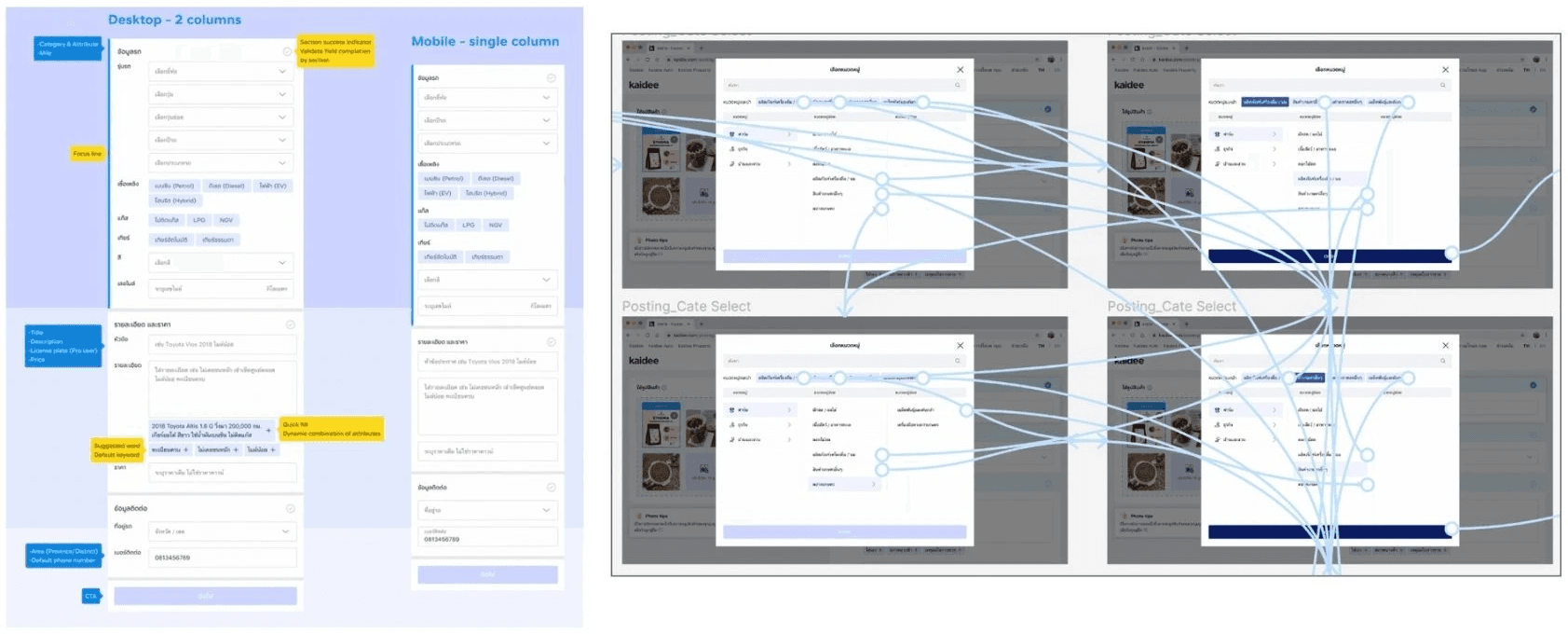
Ideate and sketch solutions in Figma, then create prototypes to validate them through usability testing
11. Usability Testing
Upload the prototype to an online usability testing tool (Maze) to create tasks and collect test results, and conduct remote sessions with users while they perform the tasks. The System Usability Scale (SUS) will be used as a post-test survey to evaluate overall usability performance.
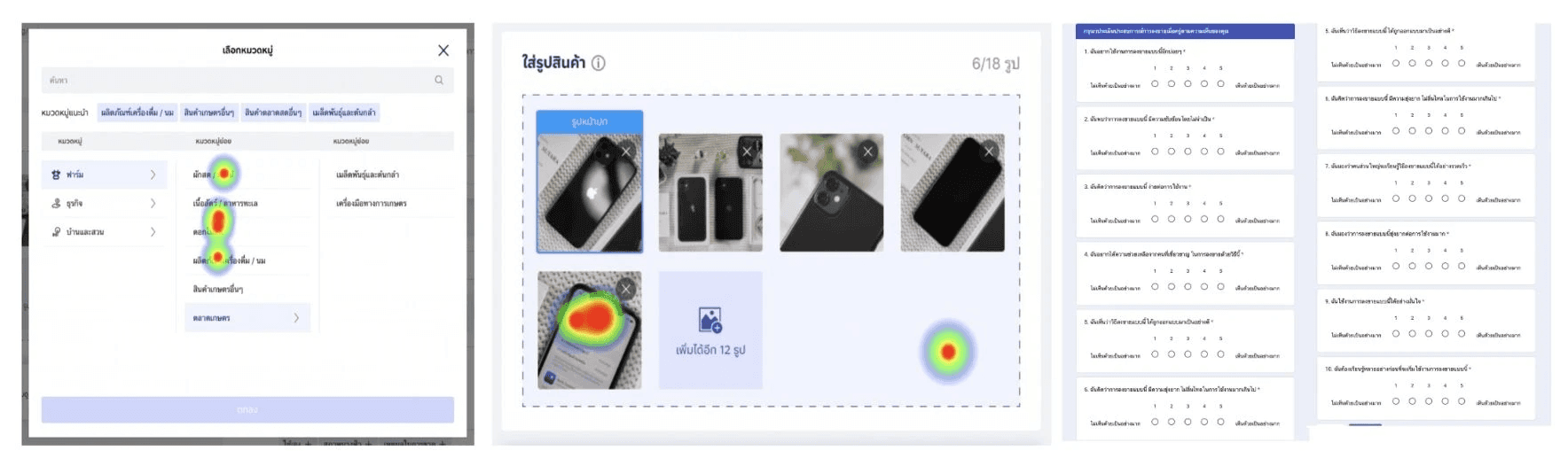
Analyze and summarize usability test findings
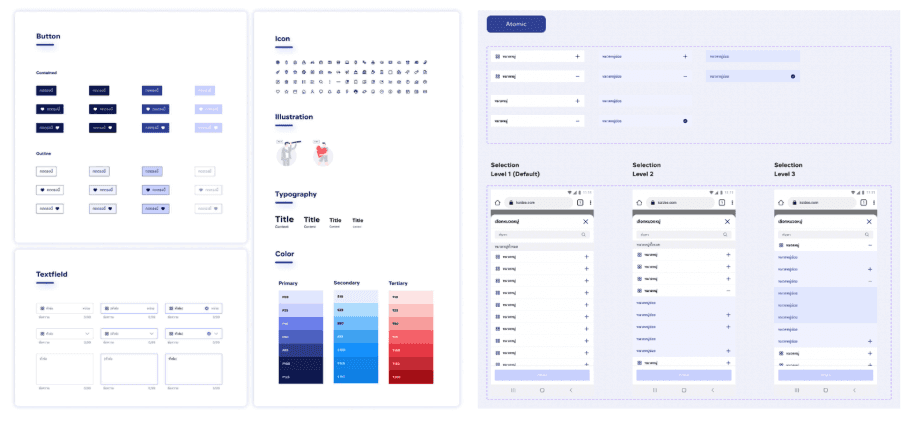
Analyze and summarize usability test findings, then design the UI flow using the existing design system and newly created components.
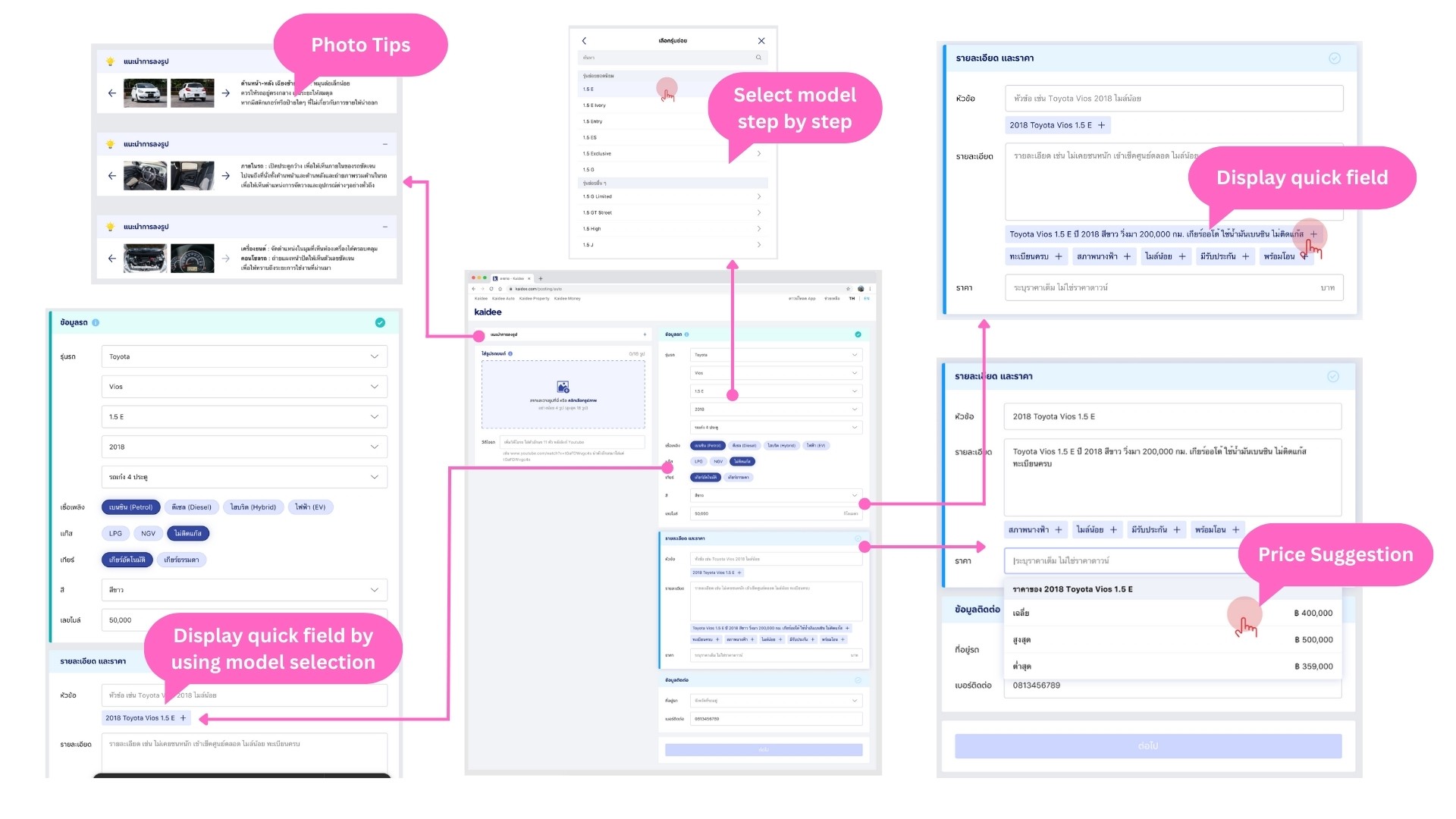
Improve Posting flow usability by adding…
Add photo tips that appear only on the first use to avoid overwhelming or annoying returning users.
Display quick fields populated from the selected car model to reduce manual input and speed up the posting process.
Guide users through model selection step by step to prevent information overload and help them focus on one task at a time.
Provide quick fields and word suggestions in the description section to reduce cognitive effort and help users create listings more easily.
Add a price suggestion dropdown to increase user confidence when setting the car price.
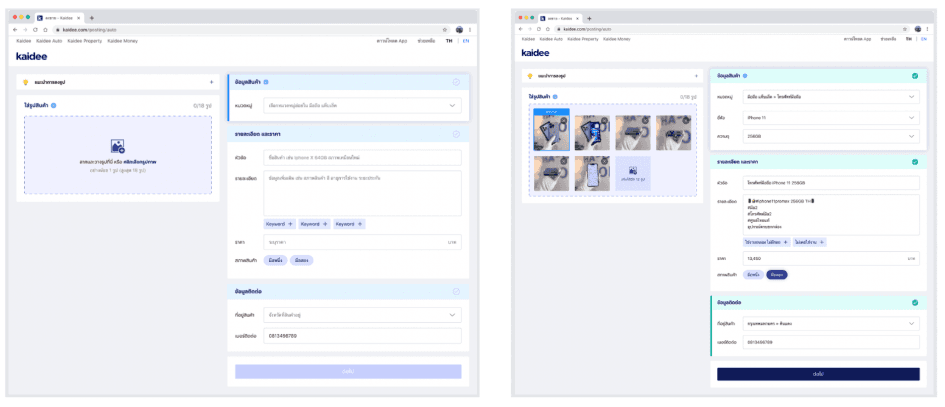
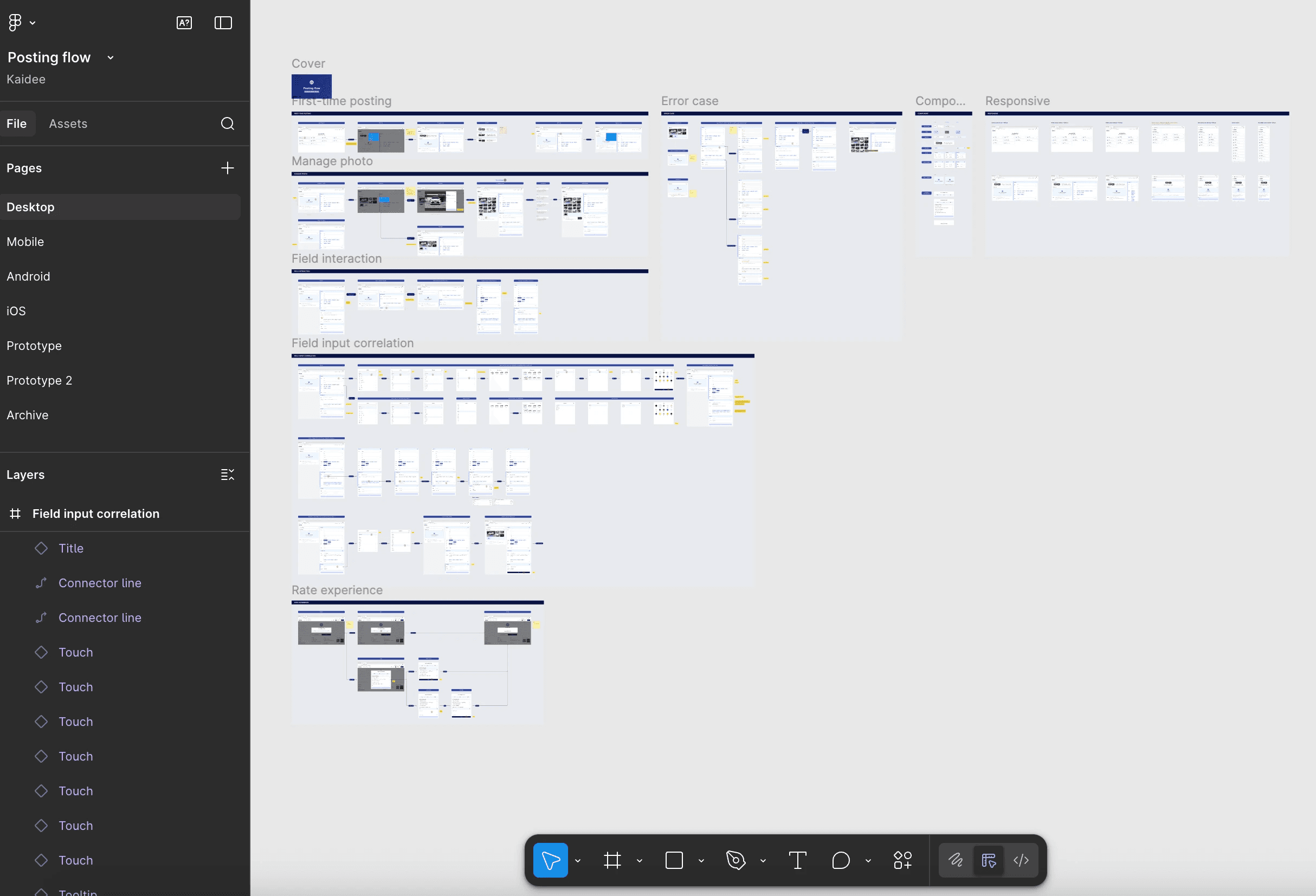
13. Create the Finalize user Interface for 4 devices
From a personal perspective and considering a startup context, implementing native applications requires designers to design and maintain four separate UI versions, which is highly time-consuming—especially when frequent iterations or changes are needed. In addition, this approach requires maintaining separate frontend development teams for both Android and iOS.
If I were in a decision-making role regarding technology selection, I would recommend adopting a hybrid platform approach. While this involves some trade-offs in native-level performance, it significantly reduces development and maintenance costs, improves consistency across platforms, and enables faster iteration—an important advantage for startups operating under limited resources and tight timelines.
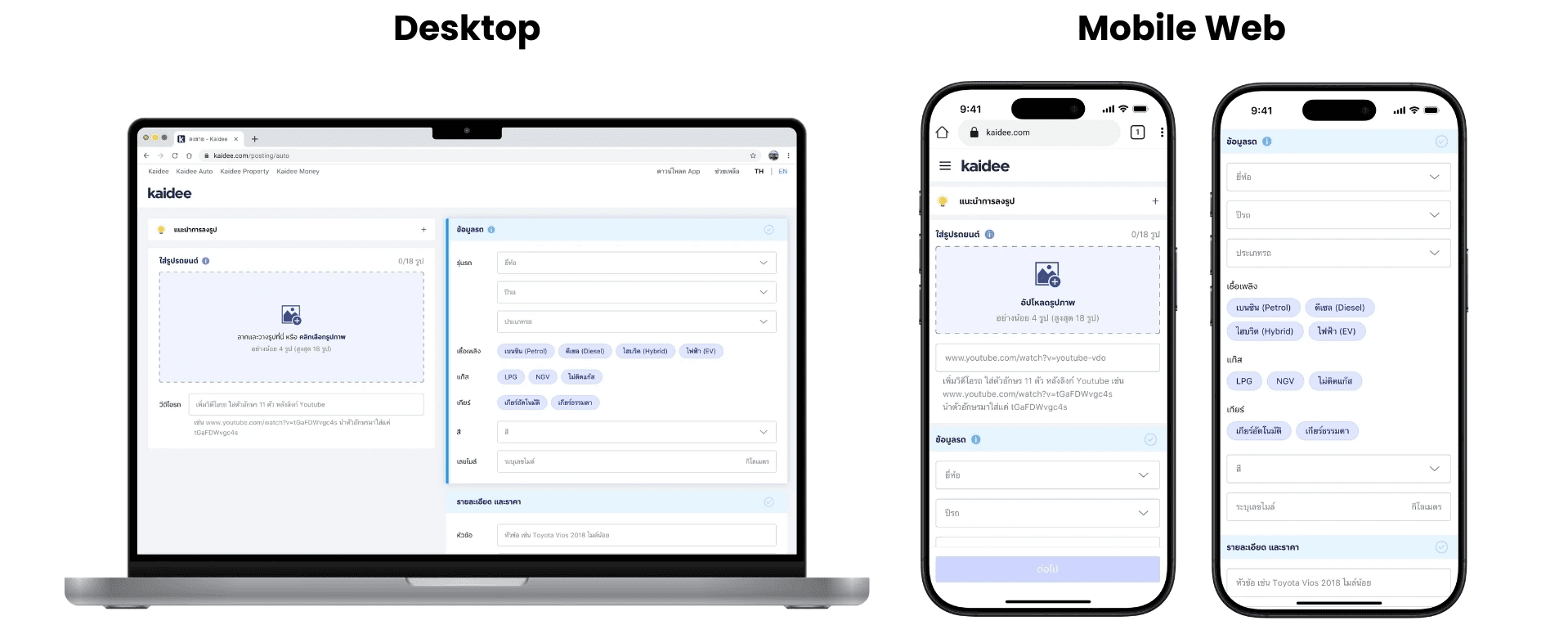
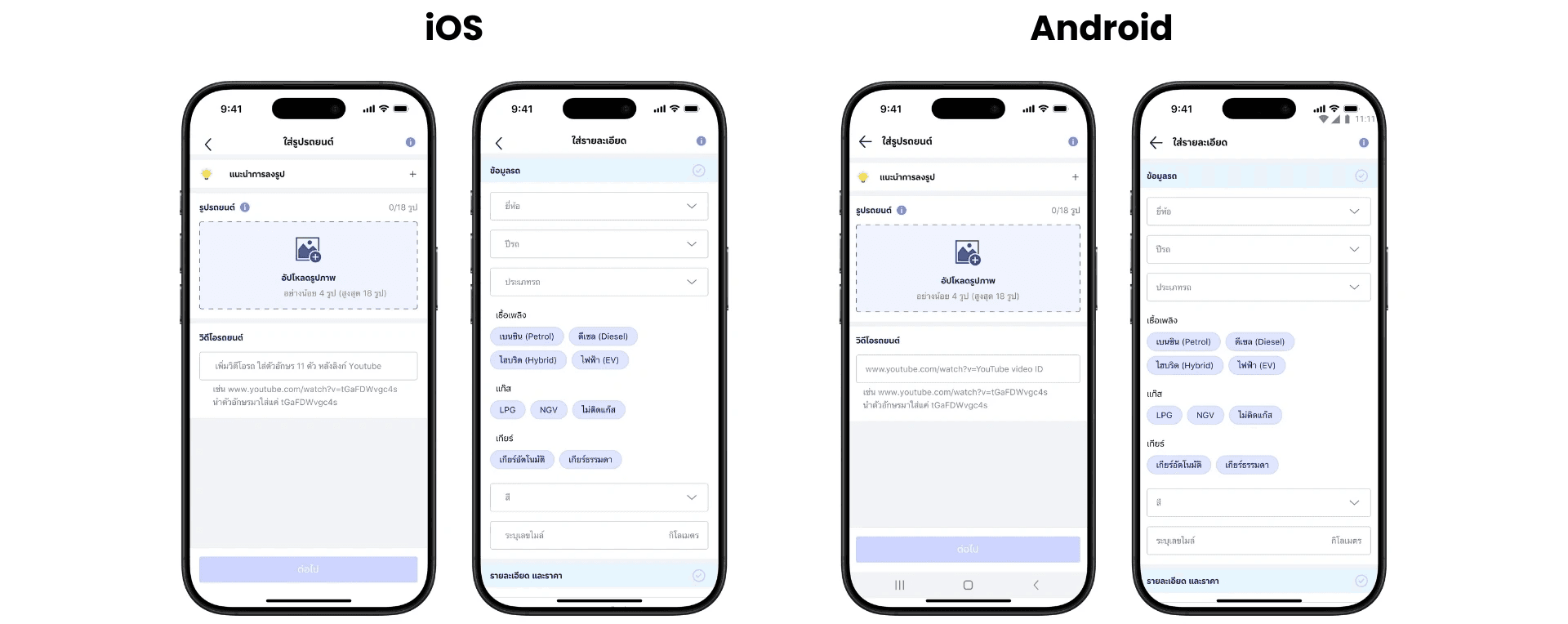
. Define the UI flow with detailed use case scenarios and error handling.
At this stage, case grooming sessions were conducted with the development team—including Frontend (Web, iOS, Android) and Backend—to align on use cases and explore possible compromises in the user experience when certain implementations required high development effort.